ThinSAFE
ThinSAFE: SAFE Remote
To schedule a personalized demonstration of ThinSAFE, Click here
Simple Accounting for Forms Experts Thin Client (ThinSAFE for short) is the latest member of the Simple Accounting for Forms Experts line of business applications. It allows users to run every SAFE function with the traditional SAFE interface, but using a thin client technology to perform all processing at the server, with PCs linked via a standard internet connection. So thin client simply means that the software actually executes on a server and not on each user’s desk top.
Key Advantages!
| Good Performance! | Even with relatively slow internet connections. Great with older, slower PCs! |
| Low Cost! | One price pays for an unlimited number of remote users! |
| No-Brainer Installation! | Since processing is done at the server, virtually any PC can be used as a client! |
| Central Management! | No fiddling with special settings for each client! |
| Real-time Data! | Data is always fresh, as though you were running SAFE on your in-house LAN! |
Prime Candidates!
| Owners! | who want up to the minute access the latest data no matter where they are! |
| Salespeople! | who need real time access to sales history or to enter new orders! |
| Bookkeepers! | who wish to perform financial transactions from a remote location! |
| Telemarketers! | who need to enter real-time call information! |
| Warehouses! | who need to key in real-time inventory data! |
| Accountants! | to review financial data to prepare statements without making a costly visit! |
The Product Mix: So Many Choices!
Now that the SAFE product line has so many choices, you may wonder which solution is best for your company. Here is a quick overview of the best applications for each version of SAFE:
SAFE is our flagship product, used by over five hundred print solutions business in North America, United Kingdom and Australia. We were the first true Windows product and we haven’t rested on our laurels. We have the most comprehensive and advanced solutions available and our range of options allow us to fit distributorships of virtually any size who want a comprehensive operations solution.
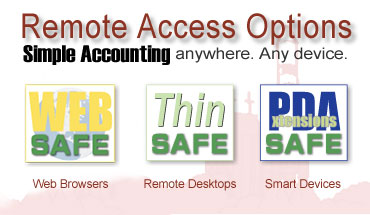
- ThinSAFE is for remote users who want a solution that looks and feels just like SAFE and need real-time access to all corporate data from any Windows-based PC over the internet.
- Remote Office Extensions (ROX) is a special version of SAFE which is run at independently at branch offices. Data is automatically synchronized with the corporate office daily over the internet. This is an excellent choice for companies with offices which do not need real time access to centralized information but do want the absolute fastest speed of execution. Plus, ROX allows each office to continue processing even if the corporate system is inactive for any reason.
- WebSAFE is for customers who wish to utilize SAFE functions through a web browser. This can include highly customized web ordering solutions as well as B2B interfaces with vendors and warehouses.
- Ollie is a web based program which provides On-Line Ordering for end users.
- PDAExtensions lets users of Palm or Pocket PC based computers to perform many useful Simple Accounting tasks and synchronize their information and transactions with the corporate system when they return to the office.
How It Works
A user simply connects to ThinSAFE by running a very small connector program from a desk top icon. Once the connector is running, the user begins using ThinSAFE which looks almost identical to SAFE (in fact, the only way you might notice that you are using ThinSAFE as opposed to SAFE would be a blinking green light at the top of your ThinSAFE application which indicates that you are connected via the internet!) Screen response is quite snappy, even at 56k modem speeds.
Transactions entered into ThinSAFE are immediately seen in your office version of SAFE.
Each user sees only his/her own products and multiple companies can be configured. No scripts; No extra programs, remote control software; no messy communication setups. The only requirements for a remote site are a PC capable of running Windows95 and a Java-enabled browser such as Netscape or Internet Explorer.
Security is managed just as in ‘ regular’ SAFE, using the included Simple Accounting Security Extensions. Each user logs in with a User ID and a password which determines the menus and options she has access to. Data can be encrypted, and users can be limited to only data associated with their log-in ID (ie. a salesperson may only ‘see’ her orders, while a remote client may only ‘see’ his inventory). And, since users are working with the data on your server, all updates are in real time: no remote updates are required!
Two Ways To Serve You
There are two options for hosting ThinSAFE: configuring your office server as a web server in your office, or purchasing hosting services Suntower Systems:
|
Most users will want to install a web server in their offices. This has the advantage of allowing two-way access to SAFE: in-office users can access SAFE like any Windows application for fastest response; while remote users access ThinSAFE from anywhere! |
|
You may also host ThinSAFE with Suntower Systems. In that case, all your users must use ThinSAFE or WebSAFE. This has the advantage of lower initial costs and zero maintenance. Your in-office users can access ThinSAFE from a single Internet connection using their current PCs or even lower cost terminals. |
Pricing & Availability
ThinSAFE costs $5,995. This provides the capability for fifty (50) simultaneous log-ins. (You can have as many users as you like, but only 50 may be logged in at the same time. Additional 50 User Licenses are available for $1,295 each.) Of course you must already have SAFE installed at your office!
Other Costs You Will Need To Consider
We hate to break it to you, but ThinSAFE will probably not be the biggest chunk of money you dole out in order to provide a complete web solution and remote access. We’re not trying to be smug; just letting you know what you need up front. You will need the following items with their approximate costs:
| A server computer with at least 512MB of memory. (It may or may not be dedicated exclusively to ThinSAFE depending on your needs.) |
$3,500.00 |
align="left" width="100" height="31" /> Microsoft Back Office® software for that server, includingWindows Server and Internet Information Server |
$2,295.00 |
| Monthly internet access fees from your ISP for each of your remote clients (5 remote users @ $20/mo.) | $100.00 |
| Monthly telecom and internet access fees from your ISP/phone company for your web site (ISDN) | $150.00 |
Remember that these prices can vary a lot depending on many, many factors (how many users you have, for example) that we caution you not to make too much of this. The above example applies to many of our customers, though.
Frequently Asked Questions
| Should I use ThinSAFE or SAFE? | ThinSAFE is typical used in conjunction with SAFE. Users in your office will prefer the higher speed of SAFE, while ThinSAFE would be used by all operators at remote locations. |
| Why would I consider ThinSAFE over Remote Office Extensions? | Since Remote Office Extensions is loaded at each branch, the speed of execution is identical to using SAFE at the main office. This is a distinct advantage for busy locations.
However, if each branch needs real time access to data (say if you have a centralized inventory), then ThinSAFE would be the way to go. |
| What software do I need to run ThinSAFE on my own web server? | 1) ThinSAFE
2) SAFE! 3) The Soft Velocity Application Broker 4) Microsoft Windows Server and IIS |
| Can users see each others orders? What about approval—Some customers will want to approve their user’s orders before they are transmitted. | Each user sees only his/her own orders. Only users designated as Administrators for a particular customer may have access to all orders from that customer. Further customization may be achieved using Simple Accounting Security Extensions |
| How do I know I am getting the right components for my NT server? | The easiest solution is to purchase Microsoft’s Small Business Server® software bundle. This includes all the NT components required to run ThinSAFE plus Microsoft Exchange for e-mail and faxing and SQL Server for managing databases. |
| What is the Application Broker? | The Application Broker is really a ‘translator’ of sorts. It runs on the web server and translates SAFE data into HTML pages on the user’s browser. It must be installed on the web server ThinSAFE runs on—either in your office or hosted by us. |
| How do I purchase the Application Broker? | A 50 User Application Broker is included in the price of Ollie. If you need more than 50 simultaneous users, additional 50 user licenses are available from Suntower Systems for $1,295 each. |
| What about security? Could someone break into our site? | Out of the box, ThinSAFE uses 56 bit Blowfish(tm) encryption which is adequate for most customers. ThinSAFE can also work with the Secure Sockets Layer (SSL) found on most Web servers. This is the encryption standard of the industry. It prevents unauthorized users from interecepting your data off the net. |
| How do I know I am getting a good deal from my Internet Provider? Access charges vary greatly | This is a tough one for lots of businesses as the market for internet services is still relatively immature. However, if you host your own web server, we recommend that you strongly consider a DSL link from your server to your internet provider. DSL can support 640K data transfer both up and downstream (from your site to your users and from your clients to you.)
You must make certain that your internet provider supports these types of connections. We have heard all manner of shameless pricing on these types of services, however your first call should probably be to your local telco to see what they have to offer. We generally loathe dealing with these companies, but since they are ‘the phone company’, they should be able to provide reliable, if not, inexpensive service. We are pleased to be able to offer turnkey DSL service through Exelus Services. Please contact us for a quote. Also, each of these mega-corps have a web page devoted to their ISDN and ADSL services. If you would like competitive quotes, here they are: We can help you determine which carrier is best for your needs, but we cannot, ultimately, guarantee your results unless you purchase a complete server and installation from us. |
How We Can Help
If you’ve been concerned about the complexities of e-commerce, don’t worry! We can help get it all together for you in the following ways:
- We can sell or lease you all the hardware you need. As Authorized IBM Network Resellers, we have the expertise to get you installed and running the right way. We will pre-install and test ThinSAFE so it’s ready to run the moment we flip the switch. And we’ll back our work with a three year warranty.
- We can provide the Networking Solutions you need to connect users in your office, remote offices, customers and salespeople on the road.
- We can provide you with hosting services for ThinSAFE and take care of all the paperwork necessary to get your company linked to the Internet.
- We can come to your site and provide comprehensive training on the use of Ollie for both your network administrator, office employees, and sales people in the field.
align="left" width="100" height="31" /> Microsoft Back Office® software for that server, including